Mastering 10 best Google Tools for SEO & Marketing in 2025 | HODS Guide
Discover the 10 best Google tools for SEO 2025. From GA4 setup to Google Business optimization, learn how to leverage free Google marketing tools for business growth. Expert guide by HODS.
SEARCH ENGINE OPTIMIZATION
8/28/202525 min read


In 2025, businesses can no longer afford to overlook the power of digital visibility. The right Google tools for SEO 2025 are no longer just add-ons—they are essential growth engines. From gaining local traction to scaling globally, these platforms help brands rank higher, gain faster insights, and achieve better conversions. Whether you're a small business owner or an established enterprise, knowing the best free Google tools for SEO 2025 can give you the competitive edge you need. Beyond visibility, these Google marketing tools empower smarter decisions, automate repetitive tasks, and connect you directly with your target audience.
At House of Digital Solutions (HODS), we specialize in helping businesses unlock the full potential of these tools through proven strategies. If you're ready to maximize visibility and conversions, explore our digital marketing services tailored for growth in 2025.
In this article, we'll cover the most powerful Google tools integration you can start using today:
Quick Navigation:
Let's break them down one by one.
GA4 Setup Guide: How to Set Up Google Analytics 4 for SEO

Benefits of GA4 for SEO and Business Growth
The GA4 setup guide (Google Analytics 4) is essential for every business aiming to thrive in 2025. Unlike the old Universal Analytics, GA4 uses event-based tracking, giving a more complete picture of customer interactions across websites and apps. This GA4 vs Universal Analytics comparison reveals that GA4's machine learning capabilities far exceed its predecessor. This makes it one of the best Google tools for business, as it provides insights that traditional analytics simply couldn't deliver.
Imagine running an online store. With Google Analytics 4 tutorial insights, you can see exactly which product pages get the most visitors, how users find your site—whether through Google search, ads, or social media—and what percentage of them turn into paying customers. With its new GA4 update, Google Analytics goes beyond tracking; it now predicts customer actions with the help of machine learning. This means businesses can forecast conversions, optimize campaigns in real time, and focus on what really drives growth.
The benefits are clear. A strong GA4 installation tutorial and proper setup reveal customer demographics, geographic data, and device usage—helping you tailor experiences to your audience. It also allows you to test and refine marketing campaigns while ensuring maximum ROI. In short, Google Analytics isn't just numbers on a dashboard; it's a roadmap to smarter business decisions.
How to Set Up GA4 for SEO: Accurate Tracking & Management
Here's where many businesses miss out: simply installing Google Analytics isn't enough. To truly benefit—and rank higher in search—you need to manage and act on the insights it provides.
Start by identifying high-performing pages. Look at metrics such as average session duration and bounce rate. If visitors leave quickly, it's often a sign that the page doesn't match their intent. This is where updating content with better keywords, visuals, or CTAs can make a huge difference.
Next, set up Google Analytics 4 conversion tracking. Whether your goal is newsletter signups, e-commerce sales, or lead form submissions, tracking these ensures you know which marketing channels deliver results. Pairing this with goal funnels gives you insight into where customers drop off, helping you fix leaks in your sales pipeline.
To strengthen SEO, monitor organic search traffic specifically. Which keywords bring people in? Which landing pages perform best in Google search? This data tells you what content to double down on. Advanced users can even integrate Google Analytics with Search Console for a complete SEO view using official Google documentation.
Finally, create custom reports and dashboards. Instead of wading through endless data, focus on the KPIs that matter most—organic growth, conversions, engagement. This ensures you make proactive moves rather than reactive guesses.
With a proper GA4 tracking setup, businesses gain deep insights into customer journeys, marketing performance, and website engagement. This tool transforms raw data into clear strategies that help brands rank higher, optimize ad spend, and increase conversions. Looking for expert help in setting up GA4 seamlessly? Contact HODS to ensure your analytics work for growth.
Google Search Console SEO Insights: Performance Reports & Keyword Data
Google Search Console Performance Reports & Keyword Analysis
Google Search Console SEO insights give businesses the real picture of how their website performs in Google search results. This free tool tracks clicks, impressions, average ranking, and the exact search queries that bring users to your site. For businesses aiming to leverage the best Google tools for SEO 2025, Search Console is the foundation—it shows what's working and what needs attention.
The key benefit is clarity: instead of guessing, you know which pages rank, which queries drive traffic, and where improvements are required. It also highlights mobile usability, Search Console indexing issues, and backlinks, ensuring that your digital presence aligns with Google's best practices. At HODS, we use Search Console as the first checkpoint in every SEO audit, connecting performance data to actionable growth strategies. Learn more in our digital marketing services.
How to Manage and Optimize with Google Search Console Keyword Data
Managing Google Search Console keyword data effectively means turning data into action. Here are the key steps:
1. Track Keyword Performance: Go to the Performance report and filter for your most-clicked queries. If certain keywords bring traffic but you're ranked lower than competitors, update your content to target those terms more effectively. Adding high-quality blog posts or FAQ pages can push you up the rankings.
2. Fix Coverage Issues Quickly: The Coverage report highlights errors such as pages not being indexed, server issues, or duplicate content. Every unresolved error reduces your site's visibility. Ensure all priority pages are indexed and optimized with proper metadata.
3. Optimize for Mobile Usability: Since most searches happen on mobile devices, Google prioritizes mobile-friendly sites. The GSC mobile usability report flags any pages that aren't mobile-optimized. Correct these issues with responsive design and compressed media to boost rankings.
4. Submit Sitemaps Regularly: By uploading your XML sitemap through Search Console sitemap submission, you're guiding Google's crawlers to index your content more efficiently. This is especially crucial when launching new products, blogs, or services.
5. Monitor Backlinks: Use GSC's Links section to see which websites link to yours. Building high-quality backlinks improves domain authority and ranking, while disavowing toxic links prevents penalties.
Google Business Profile Optimization: Posts, Reviews & Local SEO
Google Business Posts Examples & Review Response Templates
When customers search for businesses near them, the results that appear in Google Maps and the local "3-pack" (the top three business listings under a map) are powered by Google My Business (GMB). For any company that relies on local customers—restaurants, gyms, salons, retail shops, or even service providers like consultants—GMB is a game-changer.
GMB allows businesses to create a verified profile that showcases essential details like name, address, phone number, working hours, services, photos, and even customer reviews. This profile acts as a digital storefront on Google. A well-optimized GMB listing builds trust instantly. Customers are far more likely to visit a business with an updated, professional profile than one that looks incomplete or has outdated information.
The biggest benefit? Trust. Customers rely on Google Business review response templates and accurate business details to make decisions. By managing your reviews—responding to both positive and negative feedback—you showcase credibility and customer care. An optimized profile increases calls, visits, and direct bookings, making it one of the best returns on investment for local SEO Google My Business 2025. For businesses that want to master local SEO on Google Business Profile, HODS provides tailored optimization services that ensure your profile becomes a customer magnet. Explore our website design services that integrate seamlessly with local SEO strategies.
How to Optimize Google Business Profile 2025 & Respond to Reviews
To maximize results, managing GMB should be a continuous process, not a one-time setup.
1. Complete Your Profile 100%: Fill in every detail—business name, category, phone, website, and operating hours. Upload high-quality images of your business, team, or products using a GMB profile completion checklist. Businesses with photos get 42% more requests for directions and 35% more click-throughs.
2. Keep NAP Consistent: Ensure your Name, Address, and Phone number (NAP) are consistent across your website, directories, and social media. Google rewards consistency with higher visibility, especially for local search ranking factors.
3. Encourage and Respond to Reviews: Positive reviews not only improve your reputation but also increase your chance of ranking in the local 3-pack. Always respond to reviews—both positive and negative—as it shows customer care and boosts engagement. Use Google Business review response templates to maintain professionalism.
4. Post Regular Updates: Use the Posts feature to share promotions, events, or announcements with Google Business Posts examples. Frequent updates signal to Google that your business is active, improving your ranking chances.
5. Use Google Business Profile Insights: GMB provides data on how customers find your listing—through direct searches, discovery searches, or maps. Tracking this helps you refine marketing strategies and identify what drives the most engagement.
6. Enable Messaging & Bookings: For service-based businesses, enabling chat or appointment bookings directly from GMB streamlines customer conversion. This feature reduces friction and turns searchers into paying customers.
With Google Business Posts examples & review responses handled strategically, you not only improve local visibility but also increase conversions. Want expert help setting up your profile? Contact HODS today to build a stronger local footprint.
Google Ads for Small Business: Campaign Management & Optimization
Benefits of Google Ads for Driving Growth in Small Businesses
Google Ads for small business is one of the most powerful Google marketing tools in 2025. Unlike traditional advertising, where results can be unpredictable, Google Ads puts your business directly in front of people who are actively searching for what you offer. That means a higher chance of clicks, calls, and conversions.
Google Ads works on a pay-per-click (PPC) model, meaning you only pay when someone actually clicks your ad. This ensures that your marketing budget is spent on engaged prospects rather than passive viewers. Businesses can create campaigns targeting specific keywords, demographics, geographic locations, interests, and even customer behavior. For example, a local bakery could target "birthday cakes near me," while a global SaaS company could run ads for "AI automation software."
The benefits are immense. First, Google Ads provides fast, measurable results—you can launch a campaign and start seeing traffic and leads the same day. Second, it offers advanced audience targeting to ensure ads reach the right people at the right time. Third, with conversion tracking, businesses can measure ROI precisely, adjusting campaigns to maximize effectiveness. Finally, Ads helps businesses stay ahead of competitors by appearing in premium search positions, often above organic listings.
At HODS, we help businesses design small business Google Ads strategy that delivers measurable ROI. Discover our digital marketing packages designed for startups and growing businesses.
How to Manage Google Ads Campaigns for Better Results
To truly succeed with Google Ads, businesses must go beyond just running ads—they need to strategically manage campaigns to optimize cost and performance.
1. Keyword Research & Match Types: Start by researching high-intent keywords using tools like Google Keyword Planner. Focus on a mix of broad, phrase, and exact match keywords. Avoid "keyword dumping"—instead, target terms that reflect what your ideal customer is searching for.
2. Craft Compelling Ad Copy: Your ad text should be engaging, highlight key benefits, and include a clear call-to-action (CTA). Ads that address customer pain points (e.g., "Fast Delivery," "24/7 Support," or "Free Trial") tend to get higher click-through rates.
3. Use Ad Extensions: Features like call buttons, location extensions, site links, and promotions make ads more clickable and informative. Google rewards ads with extensions by improving their Google Ads Quality Score improvement, which can lower cost-per-click.
4. Optimize Landing Pages: The ad is only half the battle. A high-converting landing page ensures visitors turn into leads or customers. Pages should load fast, match the ad's promise, and feature easy-to-use contact forms or purchase options.
5. Monitor Quality Score: Google evaluates ad relevance, expected click-through rate, and landing page experience. A high Quality Score reduces costs and boosts visibility.
6. Leverage Retargeting: Not every visitor converts immediately. Retargeting campaigns setup allows you to re-engage people who previously interacted with your site or ads, increasing the chance of conversions.
7. Track & Optimize with Analytics: Pairing Google Ads with Google Analytics gives deep insights into which keywords, ads, and audiences drive sales. This data-driven approach ensures continuous improvement through PPC campaign optimization tips.
By applying these strategies, Google Ads for small business becomes more than an ad platform—it's a growth engine. Small businesses gain visibility, attract ready-to-buy customers, and scale faster. Want help designing ad campaigns that deliver measurable results? Work with HODS to unlock your growth potential.
Google Workspace for Small Business: Email Migration & Collaboration Tools
Migrate Company Email to Gmail: Complete Workspace Setup
Google Workspace for Small Business is more than just email—it's an all-in-one productivity suite designed to make collaboration seamless. At its core, it allows businesses to migrate company email to Gmail, giving teams access to secure, professional email addresses with their domain name. But Workspace goes beyond email. It includes Google Docs, Sheets, Slides, Meet, and Drive, all designed for real-time collaboration and cloud storage.
At its core, Google Workspace includes familiar apps like Gmail, Google Drive, Docs, Sheets, Slides, Calendar, Meet, and Chat. Together, these tools allow teams to work from anywhere, in real-time, with seamless synchronization. For example, team members can co-edit a Google Doc simultaneously, schedule meetings directly from Gmail business email setup, and share files via Drive without ever leaving the platform. This eliminates the inefficiencies of juggling multiple disconnected tools.
One of the biggest advantages of Google Workspace is collaboration without boundaries. Businesses no longer need to rely on endless email chains or version-control headaches. Instead, all changes are updated instantly in the cloud, with revision history available at any time. In addition, Workspace enhances professional branding by allowing businesses to create custom email domains (e.g., yourname@yourcompany.com), which adds credibility when communicating with clients and partners.
Another benefit? Built-in integrations with Google marketing automation tools. Whether connecting with Google marketing tools like Ads or Analytics, Workspace becomes the backbone of your digital growth strategy. At HODS, we guide small businesses in leveraging Workspace for productivity while integrating it with broader SEO and marketing systems. Discover how Workspace can complement your digital transformation journey through our automation services.
Share Drive vs My Drive Permissions: Security Checklist & Best Practices
To fully unlock Google Workspace's potential, businesses must manage it strategically, ensuring tools are not just used but optimized.
1. Custom Email Setup & Branding: Use Gmail with your business domain to present a professional image. This small step builds trust with customers and helps your brand stand out in their inbox.
2. Organize Files with Google Drive: Create shared drives for teams and departments. Understanding Share Drive vs My Drive permissions is crucial—Shared Drives ensure files remain accessible even if employees leave. Properly labeling, structuring, and setting permissions ensures files are easy to find and secure.
3. Leverage Google Calendar: Sync calendars across teams for effortless scheduling. Features like smart reminders, shared calendars, and time zone adjustments help avoid missed meetings.
4. Integrate Google Meet & Chat: Replace outdated communication methods with real-time video conferencing and messaging through Google Meet for business collaboration. Encourage teams to use Meet for presentations and Chat for quick updates, reducing email clutter.
5. Enhance Collaboration in Docs, Sheets & Slides: Train staff on using real-time editing, comments, and suggestions to speed up project workflows. This creates a dynamic, feedback-driven work culture.
6. Implement Security Best Practices: Use Admin Console to enforce two-factor authentication, manage user access, and monitor activity following a Workspace security best practices checklist. Regular audits help maintain compliance and safeguard data through Google Drive permission management.
7. Automate Workflows with Add-Ons & Integrations: Google Workspace integrates with thousands of apps, from CRM tools to project management systems. Automating repetitive tasks can save hours of manual work each week.
When managed correctly, Google Workspace becomes more than just software—it becomes the backbone of digital operations. It empowers employees, reduces operational bottlenecks, and strengthens communication between teams and customers.
Use Google Trends for SEO: Keyword Research & Seasonal Planning
Google Trends Keyword Research Examples & Content Strategy
Use Google Trends for SEO to uncover what your audience is actively searching for. This free tool shows real-time search interest over time, letting you identify seasonal spikes, compare multiple keywords, and refine your content strategy. For example, a fitness brand can use Google Trends keyword research examples to compare "HIIT workouts" vs. "yoga routines" to decide which content will drive more engagement.
At its core, Google Trends shows how frequently a particular search term is entered into Google's search engine relative to the total search volume over a given time frame. For example, if you own a fitness brand, you can analyze whether terms like "home workouts" or "gym training" are gaining popularity. This knowledge helps businesses align their strategies with customer demand rather than relying on guesswork.
The tool also allows users to filter data by region, category, time, and type of search (web, news, images, YouTube). This is particularly beneficial for businesses looking to understand regional differences in consumer behavior through geographic keyword research. For instance, a fashion retailer might discover that certain trends are more popular in one region than another, enabling them to localize campaigns effectively.
The benefits of Google Trends go beyond marketing campaigns. It can be used for seasonal keyword planning with Google Trends (like promoting "Christmas gifts" during the holiday spike), content optimization (creating blog posts based on trending topics), and competitor analysis (tracking industry keywords to identify gaps). By identifying rising trends early, businesses can position themselves as leaders rather than followers.
How to Manage Seasonal SEO with Google Trends
To maximize the impact of Google Trends, businesses must learn to apply insights strategically:
1. Keyword Research for SEO: Use Google Trends to identify keywords with upward momentum. Instead of targeting oversaturated terms, focus on trending but less competitive phrases that can help your content rank faster on Google.
2. Seasonal Campaign Planning: Build your marketing calendar around search spikes using seasonal SEO with Google Trends. For example, restaurants can promote "valentine's dinner ideas" when interest peaks in February. This ensures content is published when customers are actively searching.
3. Geographic Targeting: Filter results by region to understand local market needs. This is particularly useful for businesses running geo-specific ads or localized SEO campaigns.
4. Content Creation & Blogging: Use trending search terms to craft content ideas from Google Trends that resonate with what people are currently interested in. Publishing content aligned with real-time demand boosts visibility and engagement.
5. Competitor & Industry Tracking: Monitor keywords related to your industry to identify opportunities. If you see rising interest in a service your competitors aren't addressing yet, you can take the lead by filling that gap.
6. YouTube & Video Strategy: Since Google Trends also analyzes YouTube searches, content creators can identify trending video topics and capitalize on them before they become saturated.
When managed effectively, Google Trends becomes more than just a keyword tool—it acts as a market intelligence system. It equips businesses with the insights they need to stay ahead of competitors, meet customer expectations, and improve overall ranking in Google search results.
Google Tag Manager SEO Tracking: Event Setup & Implementation
Looker Studio SEO Reporting Examples & Benefits
Looker Studio SEO dashboard (formerly Google Data Studio) is one of the most powerful Google marketing tools for businesses that want to turn raw data into actionable insights. With Looker Studio, you can combine data from Google Analytics 4, Google Search Console, and Google Ads into one interactive report. This eliminates guesswork and helps businesses see exactly which keywords, pages, and campaigns drive growth.
The real magic of Google Data Studio is its ability to integrate multiple data sources. From Google Analytics, Google Ads, and Google Search Console to external platforms like Facebook Ads, HubSpot, or even CSV/Excel sheets—you can combine everything into a single, centralized dashboard. This eliminates the need to log in to multiple platforms and instead gives you a bird's-eye view of your digital performance through automated SEO reporting dashboard systems.
The benefits are extensive. First, Data Studio enhances clarity by turning complex metrics into visual charts and graphs that anyone can understand. Second, it fosters collaboration since dashboards can be shared easily with teams, clients, or stakeholders. Third, it saves time—automated reporting reduces the manual effort of compiling weekly or monthly performance summaries. Ultimately, it helps businesses make data-driven decisions faster and with more confidence.
How to Create a Looker Studio SEO Dashboard
Google Data Studio is not just about pretty dashboards—it can directly impact your SEO and digital performance if managed properly. Here's how to maximize its potential:
1. Connect Google Search Console: By integrating Search Console with Data Studio using the connect Search Console to Data Studio feature, you can track keyword performance, impressions, CTR (Click-Through Rate), and average position. This allows you to spot opportunities for SEO growth and refine content strategies.
2. Visualize Website Engagement (via GA4): Connect Google Analytics 4 to monitor bounce rate, session duration, page engagement, and conversions with a GA4 Looker Studio template. These insights highlight how users interact with your site and guide optimization for better rankings.
3. Set Up SEO-Focused Dashboards: Create custom dashboards that specifically measure SEO KPIs—like organic traffic, backlinks, keyword rankings, and page performance. This ensures you always keep SEO impact in focus.
4. Combine Paid + Organic Data: Blend Google Ads with Search Console data to compare how paid and organic campaigns perform together. This helps identify gaps where SEO could reduce ad spend and still attract high-quality traffic.
5. Automate Weekly/Monthly SEO Reports: Instead of manually pulling numbers, automate SEO performance reports. This keeps teams updated and allows businesses to react quickly to ranking changes.
6. Monitor Site Speed & Technical SEO: Integrate third-party tools (like PageSpeed Insights or SEMrush exports) to visualize technical SEO health. Since Google considers site speed a ranking factor, monitoring it in your dashboard is critical.
7. Track Conversions by Channel: Use Data Studio to see which channels—organic, social, paid, or referrals—drive the most conversions. This insight ensures SEO efforts are aligned with revenue goals.
When used correctly, Google Data Studio transforms data into a competitive advantage. It helps businesses see patterns, understand customer journeys, and adapt strategies that directly impact Google rankings.
Google Keyword Planner Tutorial: Research & Strategy Guide
Benefits of Google Keyword Planner for SEO & Business Growth
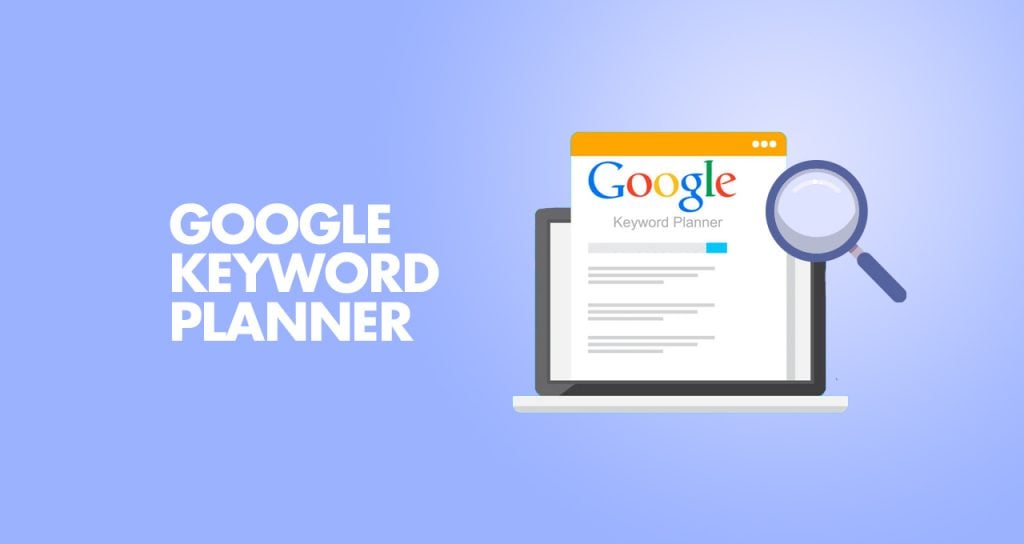
The Google Keyword Planner tutorial is essential for anyone serious about ranking higher in search results. This tool, part of Google Ads, helps businesses discover what people are actually searching for. By entering a product, service, or niche, you instantly get keyword ideas, monthly search volumes, and competition levels.
At its simplest, Keyword Planner allows you to find the right keywords that align with your business offerings. For example, if you run a fitness brand, entering "gym wear" will not only show you related keywords like "activewear for women" or "best gym clothes," but also provide monthly search volume analysis tool data, competition levels, and trends over time. This ensures you're not guessing what your audience wants—you're basing strategies on real search demand.
The benefits are enormous. First, Keyword Planner helps businesses understand user intent, which is critical for creating content that resonates with audiences. Second, it allows you to identify low-competition, high-value keywords that can drive organic traffic without requiring massive budgets using a long-tail keyword finder approach. Third, it provides insights into seasonal trends, helping businesses plan campaigns during peak demand periods. And finally, it aids in budget planning for ads by showing estimated cost-per-click (CPC) rates.
For businesses, this means higher visibility, better ROI on ads, and more targeted content strategies through keyword research for beginners methods. Instead of wasting resources on irrelevant keywords, Keyword Planner ensures every effort is focused on terms that bring real traffic and conversions.
How to Manage Google Keyword Planner for Higher Rankings
To leverage Google Keyword Planner effectively for both SEO and paid advertising, here are actionable steps:
1. Start With Broad Ideas: Begin by entering a few broad terms related to your niche. The tool will generate hundreds of keyword suggestions. Filter them based on relevance, search volume, and competition.
2. Look for Long-Tail Keywords: Long-tail keywords (e.g., "best purple gym leggings for women") often have lower competition but higher conversion rates. Adding these to your SEO and content strategy helps capture more specific audiences.
3. Focus on Search Intent: Don't just chase high-volume terms. Consider the intent behind searches. For example, "buy red dress online" indicates a ready-to-purchase customer, while "history of red dresses" is informational. Align content with intent.
4. Seasonality Tracking: Use the trend feature to see when keywords peak during the year. This is especially useful for businesses in fashion, holidays, or seasonal industries.
5. Blend SEO & PPC Strategies: Export data from Keyword Planner and use it for both organic SEO content planning and paid Google Ads. This unified approach ensures consistency and cost-efficiency.
6. Geo-Target Keywords: If your business serves specific locations, filter keyword data by geography. This is especially useful for local SEO campaigns, ensuring you rank where your customers are searching.
7. Evaluate Competitor Keywords: Enter competitor landing pages into Keyword Planner to see which keywords they're ranking or bidding on. This gives you insights to refine your own strategy.
8. Monitor Keyword Performance: SEO isn't a one-time effort. Review keyword rankings regularly using Google Search Console and update your keyword lists in Keyword Planner to stay ahead of trends.
When managed well, Google Keyword Planner is not just a keyword tool—it's a strategic roadmap for growth. It bridges the gap between what your audience is searching for and how your business can be found online.
YouTube Studio SEO Optimization: Video Ranking & Channel Growth
Benefits of YouTube Studio for SEO and Business Visibility
The YouTube Studio SEO optimization process is one of the most overlooked opportunities for businesses in 2025. With YouTube being the world's second-largest search engine, optimizing your video content helps boost both your visibility on YouTube and your Google search rankings. This makes it one of the most powerful Google marketing tools available for brands.
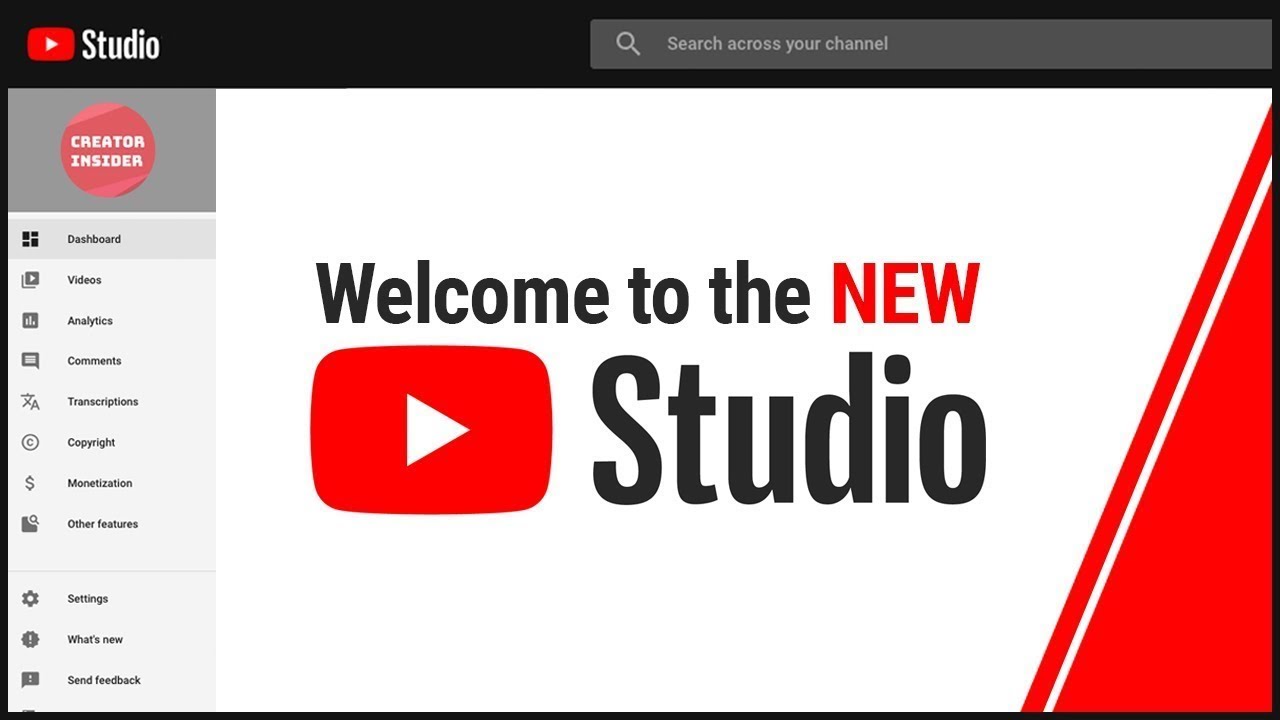
YouTube Studio gives you everything you need in one place. From uploading videos, adding descriptions, and managing playlists to tracking analytics, responding to comments, and even monetizing content, it is a control center for your channel. For businesses, this means having the ability to build brand authority through video marketing while directly connecting with your audience.
The benefits of using YouTube Studio are immense. Firstly, it provides deep analytics such as watch time, traffic sources, and audience demographics. This data helps businesses understand what content works best and what needs improvement. Secondly, it allows you to optimize every video for SEO—through titles, descriptions, tags, and closed captions using YouTube video metadata optimization—so your content ranks higher not just on YouTube but also on Google search results. Thirdly, it facilitates community building through comment management, community posts, and engagement tools, turning passive viewers into loyal subscribers. Finally, for monetized channels, YouTube Studio provides tools to track ad revenue and maximize earnings.
Simply put, YouTube Studio empowers businesses to transform video content into a consistent traffic source, a lead-generation machine, and a long-term branding asset.
How to Manage YouTube Studio SEO for Higher Rankings
To fully leverage YouTube Studio and improve visibility both on YouTube and Google, businesses should adopt the following strategies from this YouTube SEO checklist 2025:
1. Optimize Metadata (Titles, Descriptions & Tags): Use keyword-rich but natural titles that clearly reflect what the video is about. Add detailed descriptions with links back to your website, like House of Digital Solutions, to drive traffic. Tags should include variations of your main keyword for broader reach.
2. Create Engaging Thumbnails: A video's click-through rate depends heavily on thumbnails. Use high-contrast colors, clear text overlays, and brand consistency following video thumbnail best practices to increase clicks and watch time.
3. Focus on Audience Retention: YouTube rewards videos that keep viewers watching longer. Structure content with strong intros, storytelling, and clear calls-to-action (CTAs). Higher retention boosts both YouTube and Google rankings.
4. Leverage Playlists for SEO: Group related videos into playlists. This not only improves watch time but also helps videos rank better as playlists themselves appear in search results.
5. Use Subtitles and Closed Captions: Adding captions makes your videos accessible to a global audience and signals keyword relevance to search engines. YouTube Studio allows easy upload of subtitles.
6. Promote Engagement: Encourage likes, shares, comments, and subscriptions in every video. Engagement is a ranking factor, and YouTube Studio allows you to track which videos generate the most interaction.
7. Monitor Analytics Closely: Check metrics like average view duration, top traffic sources, and search terms within YouTube Studio. Use this data to create more of what works and refine underperforming content.
8. Consistency Matters: Uploading regularly signals to YouTube and Google that your channel is active and authoritative. Create a publishing schedule and manage it directly through YouTube Studio.
By consistently optimizing videos through YouTube Studio, businesses enhance discoverability, drive organic traffic, and create a stronger digital presence. This process builds authority in search engines and helps convert viewers into loyal customers. Ready to transform your video marketing? Get in touch with HODS today.
FAQs: Best Google Tools for SEO & Marketing
What Are the Best Free Google Tools for SEO 2025?
The best free Google tools for SEO 2025 include Google Business Profile (for local SEO), Google Workspace (for productivity and collaboration), Google Trends (for content planning), Google Tag Manager (for analytics tracking), Looker Studio (for SEO dashboards), Google Keyword Planner (for keyword research), Google Ads (for paid reach), GA4 (for website tracking), and YouTube Studio (for video optimization). Each of these tools serves a unique purpose and, when used together, creates a powerful ecosystem for digital growth.
At House of Digital Solutions (HODS), we help businesses integrate all these Google tools integration strategies into a single growth framework. Learn more about our digital marketing services.
How Do Google Marketing Tools Help Small Businesses?
For small businesses, Google marketing automation tools level the playing field. A well-optimized Google Business Profile makes you visible in local searches. Google Ads for small business campaigns bring immediate leads, while Google Keyword Planner and Trends uncover what customers are searching for. Tools like GA4 and Looker Studio then allow small businesses to measure performance and optimize every campaign with data-driven insights.
With expert setup, these tools reduce wasted ad spend, increase conversions, and give small businesses the same analytical power as big enterprises. At HODS, we specialize in guiding small businesses through these tools, ensuring every step—from setup to optimization—drives measurable results through our affordable digital marketing packages.
How Can I Manage Multiple Google Tools Together?
Managing multiple Google tools can feel overwhelming, but with the right strategy, they work seamlessly. Here's how:
Link Google Business Profile with Google Ads for location-based campaigns
Connect Google Tag Manager to GA4 for streamlined event tracking
Use Looker Studio SEO dashboards to combine data from Analytics, Ads, and YouTube
Schedule content through Workspace tools to ensure consistency across campaigns
Monitor YouTube Studio, Trends, and Keyword Planner insights to align content and SEO
When integrated properly through Google tools integration strategies, these tools deliver faster insights, better SEO outcomes, and higher ROI. Our team at HODS can set up and manage this ecosystem for you—so you focus on growth while we handle the tech.
What Is GA4 Ecommerce Tracking?
GA4 ecommerce tracking is a powerful feature within Google Analytics 4 that allows businesses to track detailed customer purchase behavior, product performance, and revenue data. This includes monitoring add-to-cart events, checkout processes, transaction completions, and product views. For online stores and eCommerce businesses, proper GA4 ecommerce tracking setup is essential to understand which products drive the most revenue, which marketing channels generate sales, and where customers drop off in the purchase funnel. This data enables businesses to optimize product pages, improve checkout experiences, and maximize ROI from marketing campaigns.
How Does Google Business Profile Insights Help Local SEO?
Google Business Profile insights provides valuable data on how customers find and interact with your business listing. This includes metrics like total views, search queries used to find your business (discovery vs. direct searches), customer actions (calls, website clicks, direction requests), and photo views. Understanding these metrics helps businesses refine their local SEO strategy by identifying which keywords drive the most engagement, which photos attract attention, and what times customers are most active. By analyzing GMB insights regularly, businesses can optimize posting schedules, improve their service descriptions, and respond strategically to customer behavior patterns—all of which contribute to higher local search rankings and increased foot traffic.
Ready to Maximize Your SEO with Google Tools?
In 2025, the businesses that win are those that master the best free Google tools for SEO 2025. From GA4 tracking setup to YouTube video metadata optimization, each tool we've covered plays a critical role in building visibility, driving traffic, and converting customers.
The key isn't just using these tools—it's integrating them strategically, monitoring performance consistently, and optimizing continuously. That's where expert guidance makes all the difference.
At House of Digital Solutions (HODS), we don't just teach you how to use these tools—we implement them for you. Our team specializes in:
Complete GA4 Setup & Management – Track what matters, predict customer behavior, and optimize for conversions
Google Search Console Optimization – Fix indexing issues, improve keyword rankings, and boost organic traffic
Google Business Profile Management – Dominate local search with optimized profiles and review strategies
Google Ads Campaign Setup – Launch high-converting ad campaigns with expert targeting and optimization
Google Workspace Integration – Streamline collaboration and productivity with secure cloud solutions
SEO Dashboards in Looker Studio – Visualize performance, automate reporting, and make data-driven decisions
YouTube Channel Optimization – Grow your video presence with SEO-optimized content strategies
Whether you're a startup looking to gain traction or an established business ready to scale, we have the expertise to help you leverage these Google marketing tools for maximum impact.
Take the Next Step
🚀 Get a Free SEO Audit – Discover how your website performs and where you can improve
📞 Schedule a Strategy Call – Let's discuss your goals and create a custom growth plan
💼 Explore Our Services – From website design to digital marketing and automation
👉 Contact HODS Today and transform your digital presence in 2025.
About House of Digital Solutions (HODS)
House of Digital Solutions is a leading digital marketing agency specializing in SEO, content marketing, web design, and business automation for startups and growing businesses. Based in the UK and Pakistan, we help brands achieve measurable growth through data-driven strategies and cutting-edge digital tools.
Learn more at www.hods.io or visit our blog for more expert insights.
Related Articles:
Last Updated: February 2026 | Reading Time: 28 minutes
Google Tag Manager Event Tracking for SEO & Analytics
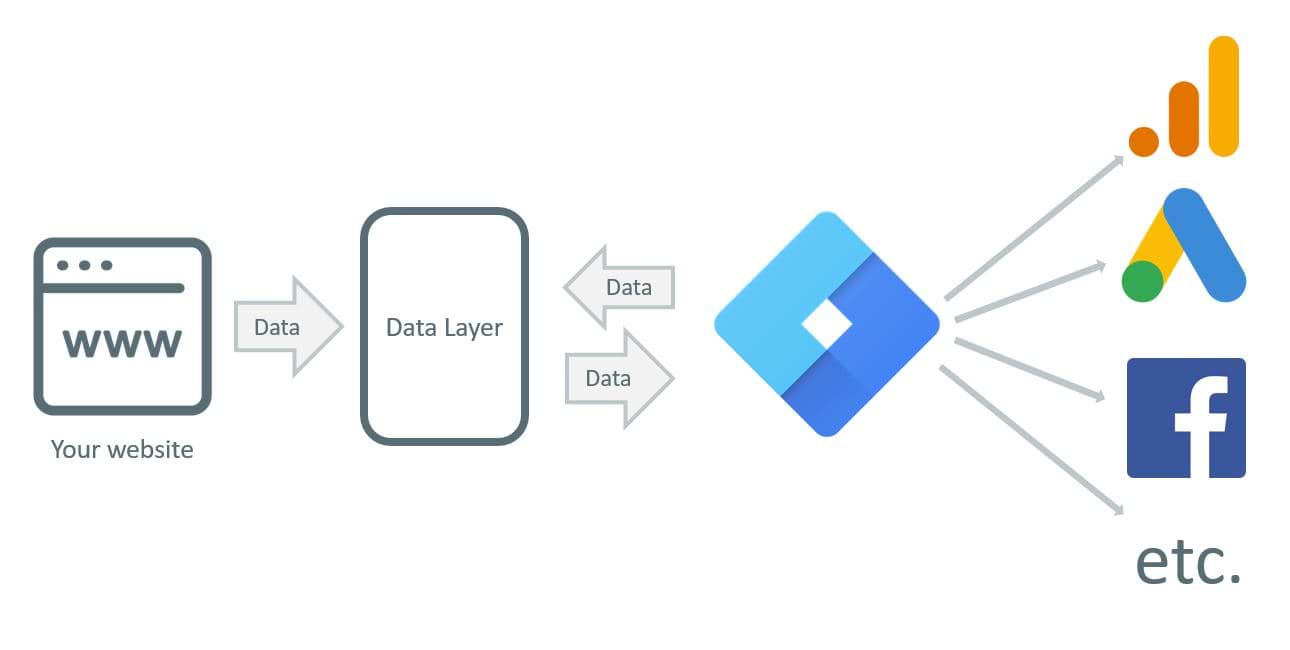
Google Tag Manager SEO tracking gives you full control over how you track and measure site activity—without constantly needing developer support. GTM allows you to centralize scripts, improve site speed, and capture valuable data like button clicks, form submissions, and scroll depth. This not only improves analytics accuracy but also ensures you're monitoring user behavior that impacts SEO.
At its core, Google Tag Manager allows businesses to insert, manage, and monitor tracking codes such as Google Analytics, Facebook Pixel, LinkedIn Insights, or custom scripts—all in one platform. Instead of manually coding every tracking update into your website, you can set it up once inside GTM and adjust whenever needed through GTM conversion tracking setup. This ensures a more flexible, scalable approach to digital marketing.
The real strength of GTM lies in its user-friendly interface. Even if you're not highly technical, Tag Manager without developer setup offers features like triggers (to define when tags should fire), variables (to capture data), and built-in templates that simplify complex tracking. For example, if you want to track how many people click on your "Buy Now" button, you can set up a click trigger inside GTM without editing your website's code every time.
The benefits are immense. First, it saves time and reduces developer dependency, allowing marketing teams to move faster. Second, it provides accurate data collection, which is the foundation of all digital campaigns. Finally, it enhances flexibility—marketers can test, update, or disable tags in real-time without risking website errors.
How to Set Up Google Tag Manager for SEO Tracking
To get the most out of GTM and ensure it contributes to SEO and performance growth, businesses should follow a structured approach:
1. Centralize All Tracking Codes: Instead of scattering multiple codes across your website, consolidate them inside GTM. This improves site speed and makes troubleshooting easier, both of which are important for SEO rankings.
2. Use Event Tracking for User Behavior: Track key interactions like button clicks, form submissions, video views, and downloads. These insights show how users engage with your site and allow you to optimize pages for better conversions.
3. Leverage Google Analytics & Ads Integration: GTM integrates seamlessly with Google Analytics 4 (GA4) and Google Ads. Use GTM to set up advanced tracking (like conversion events) that can improve ad performance and inform SEO strategy.
4. Custom Dimensions & Variables: Create custom tags and variables to collect unique data relevant to your business, such as scroll depth or time on page. This helps refine content strategies based on real user engagement.
5. Test Before Publishing: GTM has a "Preview Mode" that lets you test all tags before going live using GTM preview mode testing. This prevents errors that could disrupt tracking or negatively affect site performance.
6. Prioritize Site Speed: Poorly managed tags can slow down websites, which harms SEO rankings. By keeping your GTM container clean and removing outdated or duplicate tags, you ensure smooth performance.
7. Track SEO Impact Metrics: Use GTM to measure metrics like bounce rate, session duration, or specific actions tied to organic traffic. This allows you to see how SEO improvements directly impact user behavior.
With this setup, you're not just tracking traffic—you're understanding how users interact with your site. That means smarter decisions, optimized campaigns, and higher ROI. Want expert GTM SEO tracking tailored for your business? Contact HODS today to automate tracking and accelerate growth.
Looker Studio SEO Dashboard: Reporting Examples & Setup Guide
Ready to Grow Your Startup?
Partner with House of Digital Solutions, a digital marketing agency for startups that understands your journey. Whether you're launching your first product, seeking your initial customers, or scaling to the next level, HODS provides the online marketing services for small business that drive real, measurable growth.
Policies
Future
email: info@hods.io
Call : +92 318 249 5037
© 2025. All rights reserved by House of Digital Solutions
+44 759 968 2726
IMPACT