
How to Write a Blog Post for Beginners: Complete Step-by-Step Guide
Learn how to write a blog post that ranks on Google with this beginner-friendly guide. Master blog writing basics, SEO tips, and content structure to grow your website traffic.
BLOGGING
2/5/20269 min read


Introduction
Starting a blog can feel overwhelming, especially when you're unsure where to begin. Whether you're writing for your small business, personal brand, or passion project, understanding how to write a blog post that attracts readers is essential.
In this guide, you'll learn the complete blog writing process—from finding the right topics to publishing content that ranks on search engines. By the end, you'll have a clear roadmap to create engaging blog posts that drive organic traffic to your website.
Why Blog Writing Matters for Your Business
The Power of Consistent Blogging
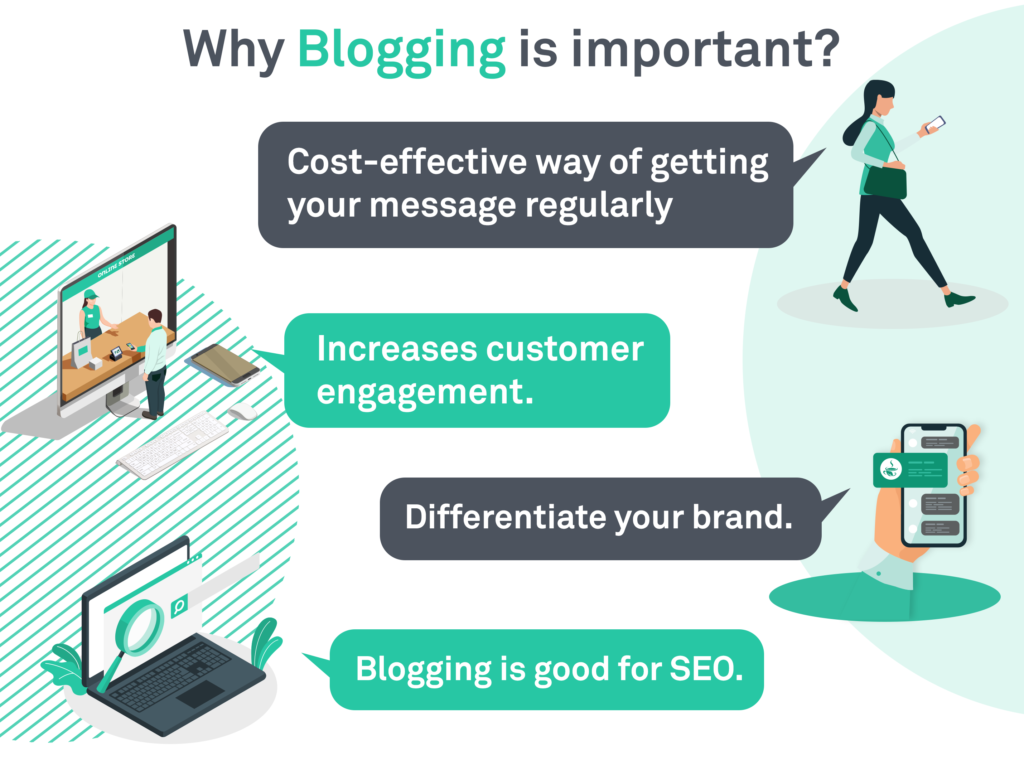
Did you know that 81% of online experiences start with a search query? When you publish helpful blog content, you increase your chances of appearing in those search results.
Here's what regular blogging can do for you:
Generate 67% more leads per month compared to businesses without blogs
Build trust with your audience by sharing valuable information
Establish your expertise in your industry
Create content that continues working for you months and years after publishing
Understanding Google's Quality Standards
Google wants to show users the best, most helpful content. To do this, they evaluate content based on four key factors (called E-E-A-T):
Experience: Show you've actually done what you're writing about through real examples and personal insights.
Expertise: Demonstrate deep knowledge of your topic with detailed, accurate information.
Authoritativeness: Build recognition as a trusted source through quality content and backlinks from other reputable sites.
Trustworthiness: Be reliable and transparent by providing accurate facts, clear contact information, and proper citations.
Finding Topics Your Audience Wants to Read
Start with Keyword Research
Before writing anything, you need to know what your audience is searching for. This process is called keyword research.
Low-difficulty keywords are your best friend as a beginner. These are search terms with less competition, making it easier for your new blog to rank.
How to Find Low-Difficulty Keywords
Use Free Tools:
Google's "People Also Ask" boxes
AnswerThePublic for question-based keywords
Google Search suggestions (the dropdown when you type)
Ubersuggest (offers limited free searches)
What to Look For:
Long-tail keywords (3-5 words)
Question-based phrases ("how to," "what is," "best way to")
Specific topics rather than broad terms
Example:
High difficulty: "blog writing" (too competitive)
Low difficulty: "how to write a blog post outline for beginners" (more specific, easier to rank)
Understand Search Intent
Search intent means why someone is searching for something. There are four main types:
Informational: They want to learn something (Example: "what is SEO")
Navigational: They're looking for a specific website (Example: "Facebook login")
Commercial: They're researching before buying (Example: "best blogging platforms 2026")
Transactional: They're ready to take action (Example: "buy domain name")
Most blog posts target informational intent. Your job is to answer questions and solve problems.
The Step-by-Step Blog Writing Process
Step 1: Create a Strong Outline
Your outline is your roadmap. It keeps you organized and ensures you cover everything your readers need.
Essential Elements to Include:
Clear introduction that hooks the reader
Main sections that address the topic thoroughly
Subheadings that break down complex information
Conclusion with actionable next steps
Space for images and examples
Sample Outline Structure:
Introduction (what problem are you solving?)
Why this topic matters
Main content (3-5 major sections)
Practical examples or tips
Conclusion with clear action steps
Step 2: Write an Attention-Grabbing Introduction
Your introduction has one job: make people want to keep reading.
Strong Introduction Formula:
Start with a relatable problem or question
Explain why solving it matters
Preview what they'll learn in your post
Keep it short (3-4 paragraphs maximum)
Weak Introduction: "In this post, I'll talk about blog writing. Blog writing is important. Let's get started."
Strong Introduction: "You've set up your website, but traffic isn't coming. You know you need to blog, but every time you sit down to write, you freeze. What if no one reads it? What if you're wasting your time? The truth is, successful blog writing isn't about being a perfect writer—it's about following a proven process."
Step 3: Write Clear, Scannable Content
Most people don't read blogs word-for-word. They scan for the information they need.
Make Your Content Scannable:
Keep paragraphs short (2-3 sentences each)
Use descriptive subheadings every 200-300 words
Add bullet points for lists
Bold important phrases (sparingly)
Include images to break up text
Write in Plain Language:
Use simple words your audience understands
Avoid jargon unless you explain it
Write like you're talking to a friend
Keep sentences under 20 words when possible
Step 4: Add Examples and Evidence
Don't just state facts—back them up.
Ways to Support Your Points:
Share statistics from reputable sources
Include case studies or real-world examples
Add relevant quotes from experts
Share personal experiences
Show before-and-after results
Example: Instead of: "Blogging helps businesses grow." Write: "Companies with active blogs generate 67% more leads per month than those without, according to HubSpot research. When we started publishing weekly blog posts, our website traffic increased by 120% in six months."
Step 5: Optimize for SEO Without Overdoing It
SEO (Search Engine Optimization) helps your blog post appear in search results.
On-Page SEO Basics:
Title Tag: Include your main keyword naturally (50-60 characters)
Good: "How to Write a Blog Post for Beginners: Complete Guide"
Bad: "Blog Post Writing Guide Blog Content Blogging Tips"
Headings: Use H2 and H3 tags with keywords naturally included
H1: Main title (one per post)
H2: Major sections
H3: Subsections within H2s
Keyword Usage: Include your main keyword naturally in:
First paragraph
At least one subheading
Throughout the content (without forcing it)
Meta description
Internal Links: Link to 2-3 other relevant posts on your website
External Links: Link to 1-2 high-quality sources that support your points
Image Optimization:
Use descriptive file names (blog-writing-process.jpg, not IMG_1234.jpg)
Add alt text describing the image
Compress images to load faster
Step 6: Craft a Compelling Conclusion
Your conclusion should remind readers what they learned and tell them what to do next.
Effective Conclusion Structure:
Briefly summarize key takeaways (1-2 sentences)
Provide clear next steps
Encourage engagement (comments, shares, or related actions)
Example: "Now you have everything you need to write your first blog post. Start by choosing a low-difficulty keyword, create your outline, and write your first draft. Remember, your first post doesn't need to be perfect—it needs to be published. What topic will you write about first?"
Formatting Your Blog Post for Maximum Readability
Visual Structure Matters
White Space: Don't cram text together. Leave breathing room between paragraphs and sections.
Text Formatting:
Paragraph length: 2-3 sentences maximum
Sentence length: Aim for 15-20 words (varies for readability)
Font size: At least 16px for body text
Line spacing: 1.5 or higher for easier reading
Subheadings: Use descriptive subheadings that tell readers what each section covers. This helps them find the information they need quickly.
Adding Visual Elements
Images:
Include at least one image every 300-400 words
Use relevant photos, screenshots, or custom graphics
Add captions when helpful
Other Visual Elements:
Simple tables for comparisons
Block quotes for important points
Bullet lists for quick tips
Numbered lists for step-by-step processes
Technical SEO Checklist for Your Blog Post
Before Publishing
URL Structure:
Keep URLs short and descriptive
Include your main keyword
Use hyphens between words
Avoid dates in URLs (makes content seem outdated)
Good URL: yoursite.com/how-to-write-blog-post Bad URL: yoursite.com/2026/02/post12345
Meta Description: Write a compelling 150-160 character description that:
Includes your main keyword
Summarizes what readers will learn
Encourages clicks
Mobile Optimization: Most readers will view your blog on phones. Check that:
Text is readable without zooming
Images don't overflow the screen
Buttons and links are easy to tap
After Publishing
Submit to Google Search Console: This free tool helps Google find and index your new blog post faster.
Share on Social Media: Don't wait for people to find your post. Share it on:
Your business social media accounts
Relevant online communities
Your email newsletter
Monitor Performance: Use Google Analytics to track:
Page views
Time on page
Bounce rate
Traffic sources
Building Your Content Strategy
Start with a Content Calendar
Don't just write randomly. Plan your content in advance.
Monthly Planning Template:
Week 1: How-to guide (beginner-focused)
Week 2: Listicle (tips, tools, or resources)
Week 3: Case study or example post
Week 4: FAQ or Q&A post
Create Content Clusters
Content clusters help you build authority on specific topics.
How It Works:
Create one comprehensive "pillar page" on a broad topic
Write 4-6 detailed blog posts on related subtopics
Link all cluster posts to the pillar page
Link the pillar page to each cluster post
Example:
Pillar Page: "Complete Guide to Content Marketing"
Cluster Posts:
How to Write a Blog Post (you are here)
Email Marketing for Beginners
Social Media Content Planning
Video Content Creation Tips
Consistency Beats Perfection
Realistic Publishing Schedule:
Months 1-3: Publish 1-2 posts per week focusing on low-difficulty keywords
Months 4-6: Increase to 2-3 posts per week, start building content clusters
Months 7-12: Maintain consistent schedule, begin updating and improving older posts
Measuring Blog Success
Key Metrics to Track
Organic Traffic: How many people find your blog through search engines
Goal: 15% increase month-over-month
Time on Page: How long readers stay
Goal: 2+ minutes average
Bounce Rate: Percentage who leave after viewing one page
Goal: Below 70%
Keyword Rankings: Where your posts appear in search results
Goal: Top 20 positions within 3 months, top 10 within 6 months
When to Update Old Posts
Refresh your blog posts every 3-6 months to maintain rankings:
What to Update:
Add new statistics and data
Fix broken links
Expand sections with additional information
Update outdated screenshots or examples
Improve formatting for better readability
Update Priority: Focus on posts ranking positions 4-15 first. These have the best potential for quick improvement.
Common Blog Writing Mistakes to Avoid
Content Mistakes
Writing for Search Engines Instead of People: Yes, SEO matters, but forced keyword stuffing makes content unreadable and actually hurts your rankings.
Not Addressing Search Intent: Make sure you're actually answering the question people are asking.
Being Too Promotional: Provide value first. Promotional content comes later.
Ignoring Your Audience: Write about what your readers want to know, not just what you want to say.
Technical Mistakes
Not Optimizing Images: Large images slow down your page, hurting both user experience and SEO.
Forgetting Mobile Users: Over 60% of searches happen on mobile devices.
Skipping Internal Links: Help readers discover more of your content and improve your site's SEO structure.
Publishing Without Proofreading: Typos and errors hurt credibility. Use tools like Grammarly or read your post out loud before publishing.
Your Action Plan: Getting Started Today
Week 1: Foundation
Day 1-2: Do keyword research and find 5 low-difficulty topics Day 3: Choose your first topic and create a detailed outline Day 4-5: Write your first draft Day 6: Edit, add images, and optimize for SEO Day 7: Publish and share on social media
Month 1 Goals
Publish 4-6 blog posts
Set up Google Analytics and Search Console
Start building an email list
Create social media promotion schedule
Months 2-3 Goals
Publish 8-12 more posts
Begin internal linking between related posts
Analyze which topics perform best
Start planning content clusters
Long-Term Vision
6 Months: Establish authority in 1-2 core topic areas with consistent content
12 Months: Achieve steady organic traffic growth of 15-20% monthly
18+ Months: Rank for more competitive keywords as your domain authority grows
Conclusion: Start Writing Today
Writing your first blog post is intimidating, but you now have a complete roadmap to follow. Remember these key points:
Start with low-difficulty keywords to build early wins
Focus on helping your readers solve real problems
Keep your content scannable and easy to read
Optimize for SEO without sacrificing readability
Stay consistent with your publishing schedule
The best time to start your blog was yesterday. The second best time is today. Choose your first topic, create your outline, and start writing. Your first post doesn't need to be perfect—it needs to be published.
What topic will you write about first? Share in the comments below.
Frequently Asked Questions
How long should a blog post be? Aim for 1,500-2,500 words for comprehensive how-to guides. Shorter posts (800-1,200 words) work for simple topics. Quality and completeness matter more than hitting a specific word count.
How often should I publish new blog posts? Start with 1-2 posts per week. Consistency matters more than frequency. It's better to publish one quality post weekly than four rushed posts monthly.
Do I need to be a professional writer to blog? No. Focus on clarity and helpfulness rather than perfect prose. Write like you're explaining something to a friend. Your expertise and authentic voice matter more than literary skill.
How long before I see traffic from blogging? Most new blogs see meaningful traffic within 3-6 months of consistent publishing. Low-difficulty keywords can rank faster (4-8 weeks), while competitive topics take longer (6-12 months).
Should I hire a professional blogger? If budget allows and you lack time, professional content writers can help. However, you know your business best. Consider writing the first 10-15 posts yourself to establish your voice, then hire help to scale.
About House of Digital Solution (HODS)
We help small businesses grow their online presence through strategic content marketing, SEO, and digital strategy. Our step-by-step approach takes the guesswork out of digital marketing, delivering measurable results that transform garage operations into thriving brands.
Ready to take your content marketing to the next level? Visit www.hods.io to learn how we can help.







Ready to Grow Your Startup?
Partner with House of Digital Solutions, a digital marketing agency for startups that understands your journey. Whether you're launching your first product, seeking your initial customers, or scaling to the next level, HODS provides the online marketing services for small business that drive real, measurable growth.
POLICIES
SIGN UP
email: info@hods.io
Call : +92 318 249 5037
© 2025. All rights reserved by House of Digital Solutions
+44 759 968 2726
IMPACT
sales@hods.io
support@hods.io